How to Change Your Keyboard Layout on Windows 8
Add a layout such as Dvorak or Colemak to Windows 8, then switch to it. 12 steps.
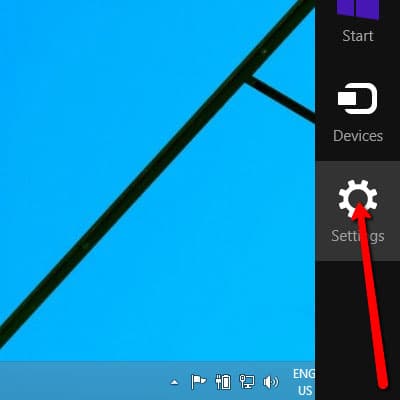
Open the side menu.

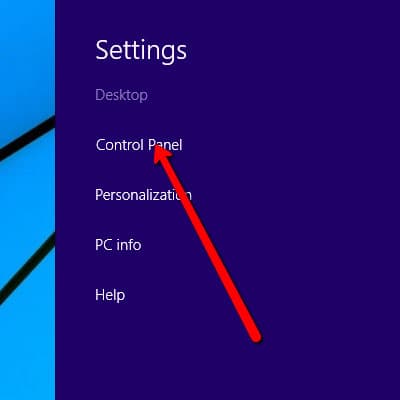
Click “Settings”.
Open “Control Panel”.
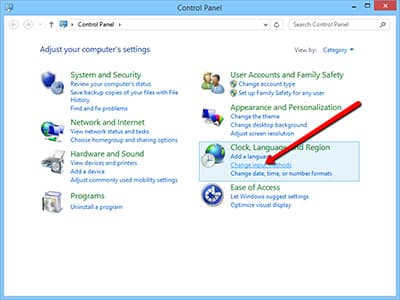
Click “Change input methods”.
Click “Options” to change language preferences.
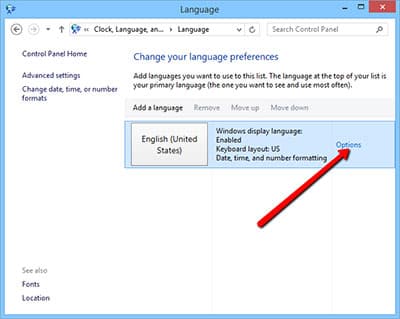
Add an input method.
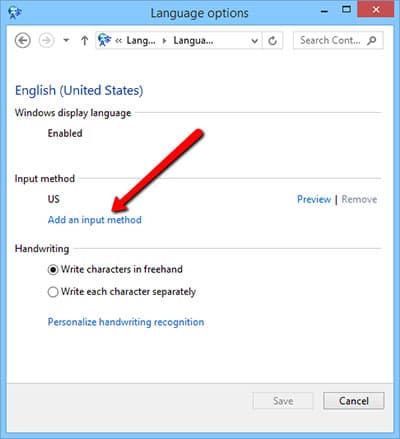
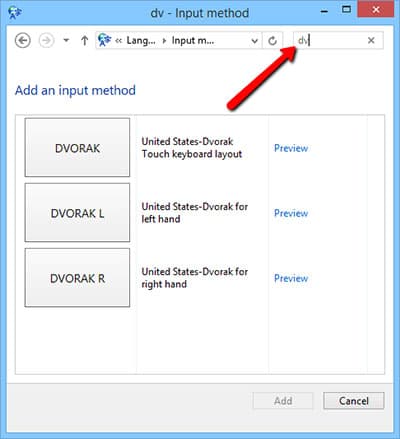
Find the keyboard layout. You can use search to filter the list.
Colemak and Workman may need installing first: install colemak or install workman.
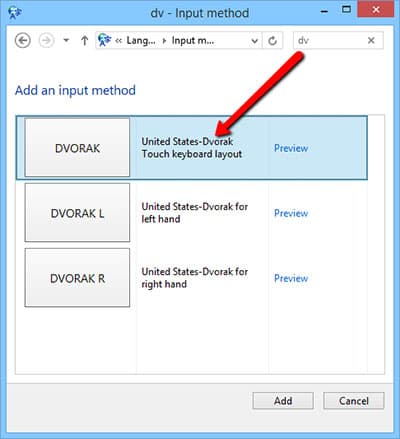
Choose a layout, e.g. Dvorak.
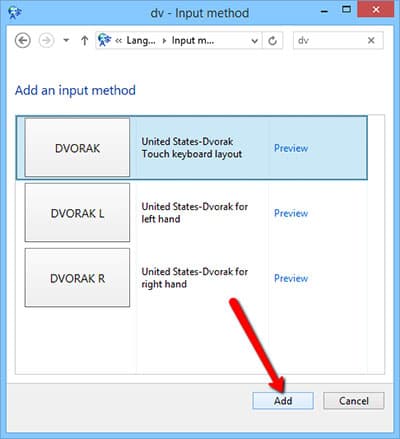
Click “Add”.
Save your changes.
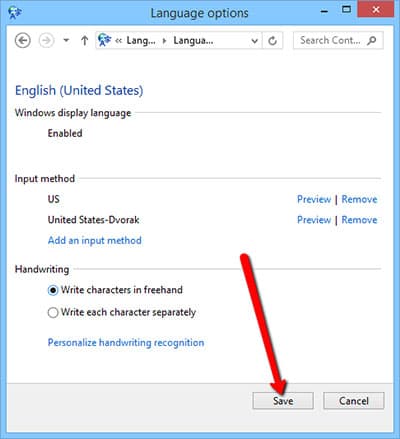
Click the language settings.

Switch to the layout you just added.
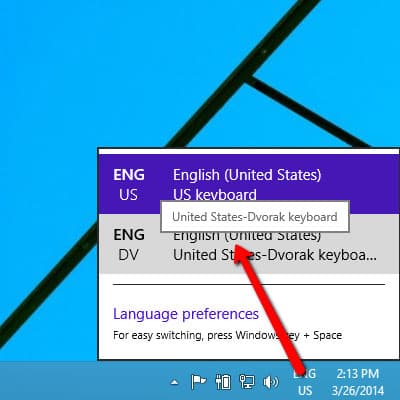
Now pick the same layout here
Choose it in Settings, and the on-screen keyboard and hands follow your new layout.